Event, Agents
Framer Event — Introducing Agents, Branching, and a new Community
Framer Event — Introducing Agents, Branching, and a new Community
Framer Event — Introducing Agents, Branching, and a new Community
·
40:01
·
17K views
·
About this lesson
Today, we’re introducing Framer 3.0 with Agents, Branching, Community, and an all-new design. Agents bring AI to the canvas, and can design entire pages, iterate with you, make breakpoints, add effects, create components, write code, connect to the CMS, share site analytics, organize styles, and so much more. We’re also launching Branching, helping big teams iterate and safely adopt Agents. Finally, we’re launching an all-new Community for creators to share and earn.
Get started with Framer 3.0
Watch the full event to see everything that’s new.
0:00[music]0:04>> Today, Framer is evolving.0:07What we're about to show you is going to0:09fundamentally change the way you design0:11and work inside Framer moving forward.0:14We're also going to share some huge and0:15exciting updates to the Framer community0:18and the Framer marketplace. But first,0:21let's talk about product.0:23Over the past year, engineers have seen0:25their way of working change more0:27dramatically than the previous several0:29decades combined. AI and agents have0:32completely transformed how software is0:35getting made. We believe design is about0:37to go through that same transition. But0:40so far, if we're honest, a lot of AI for0:42design has felt more like a novelty than0:45a real breakthrough. It starts out fun,0:47but it quickly feels disconnected from0:50real professional creative work. The0:53outputs are generic, the workflows are0:55rigid, and too often the tools try to0:57replace the creative process instead of1:00supporting it.1:01And that doesn't even take into account1:02the fact that you can't just sit your1:04average marketer or designer down in1:06front of Claude code, walk away, and1:09expect things to just go well. So we set1:12out to build something better.1:21>> [music]1:37[music]1:49[music]2:01[music]2:07[music]2:13[music]2:18[music]2:24>> Today, we're introducing a completely2:26new Framer experience built around2:29agents. We believe the canvas beats code2:32for AI-powered design work. Because2:34everything the agent creates is just as2:37editable and controllable as if you2:39designed it yourself right on the2:41canvas. So, the process now becomes2:43fully collaborative.2:45For example, you can get super fast,2:47high-quality output from the agent, jump2:50in, make your own design changes,2:53then hand things back over to the agent2:55to finish, respecting the changes that2:57you made.2:58And because Framer is deeply focused on3:01websites, the output is production-ready3:04from the start. There's nothing to clean3:06up, there's no code to inspect, you just3:08hit publish.3:09We also designed this to work with you3:11at any level of your workflow. So, of3:14course, it can start from scratch and3:16build entire sites for you. But more3:18importantly, and we think realistically,3:20this is how most people will use our3:22agent, it works inside all your existing3:25projects as an expert Framer designer,3:27developer, content editor, SEO expert,3:31analytics expert, and more.3:34So, whether you're rolling out a visual3:35refresh across dozens of pages,3:38restructuring a CMS collection for your3:40growing team,3:42adding interactions and animations3:43throughout your entire site, or3:46generating new sections entirely, Framer3:49agents have I've your back.3:51Now, we all know that AI is not perfect,3:53and Framer is a place where people do a3:55lot of real work with real sites and3:58real-world stakes. So, alongside agents,4:01we're also introducing branching.4:04Branching gives you a safe way to4:05explore ideas, review what changed,4:08compare versions,4:10and publish when the work is ready. All4:12while keeping your current production4:14pages completely unchanged.4:17To show you more about agents and this4:19new publishing workflow, let's go to4:21Joseph. [music]4:28>> [music]4:29>> Today, I'm working on a website for a4:30design agency that's still got a ways to4:32go. So, let's jump in and see what we're4:35working with.4:36Here in the new Framer, you'll notice a4:38beautifully streamlined UI.4:40And on the right sidebar, the properties4:42panel is now split into the style tab we4:44know and love,4:45and the all-new agent tab, which is4:48where our chats with Framer agents take4:50place.4:51We can choose our preferred model from4:52the drop-down. I'm fond of Opus 4.84:55myself, and then we can just start4:57writing our first prompt.4:59Our site here is already coming along5:00with pages for work case studies,5:02services, and even a CMS-powered blog.5:05I'm going to start small by asking the5:07agent to create a new services section5:11in5:12and I want to point this at a particular5:13frame on the canvas, so I'll grab the5:15new context tool below5:17and click directly on the main wrapper5:19here on the home page, which inserts it5:21into my prompt. And you can insert as5:23many different layers into your prompt5:25as you want to, but let's keep going.5:28Listing the 13 services from and here I5:32can @ mention a page, in this case,5:34services,5:35each with a heading two, which I can @5:38mention as well,5:39and one-line description below,5:42subtle thin bottom border,5:45generous spacing,5:47full width.5:48I'll send it and the Canvas agent gets5:51to work with real-time visual feedback5:53on which layers it's actively working5:55on.5:55And it's designing using the content,5:57structure, and style of my entire6:00project as context. We're also getting6:03helpful info in the chat letting us know6:05what the agent is actually doing and I6:07can continue the conversation to iterate6:09or just make edits directly on the6:11canvas myself. It's easier for me to6:13just go in and rearrange some of these6:15myself6:16or even delete a few rather than trying6:18to type out an explanation.6:20But that's the whole idea, agents and6:22myself co-editing together. But I will6:25take some help to add an icon to each6:29remaining item that best represents the6:32service.6:33And check it out, these aren't random6:35icons. The Canvas agent actually curated6:37icons from a vector set that fit the6:40subject matter and of course styled them6:42to match. We can also see a quick before6:45and after by clicking undo and redo.6:48And if I want to turn back time on even6:49sending this prompt, I can click revert6:52and then confirm.6:54Also, one little detail I want to add is6:56label this section and add a see all7:02services link that matches the other7:06sections.7:07There we go. And I didn't even really7:09tell it which page to link to, but based7:11on the context of our conversation, the7:13Canvas agent understood to link through7:15to the full services page. Cool. Now, I7:18could just continue this chat, but since7:20I'm going to move on to something7:21completely different, I don't need the7:23context of this conversation. Plus, I7:25can just keep myself more organized by7:27clicking on this plus button to start a7:30brand new chat.7:31Now, I want to generate a whole new page7:34and I can count on the Canvas agent to7:35design it cohesively with the rest of7:37the site. I'll say, "Create a contact7:41page7:42with three office locations,7:45San Francisco, New York, and Amsterdam.7:48Include city, address,7:51and email with a landscape city photo7:55side by side.7:56Each with the clock component, which7:58I've already created, above the text at8:01its default size.8:02Match the header layout from @work.8:06Add any missing links to this page site8:10wide.8:11And since all the action is happening on8:13another page, I can click the follow8:15button to jump to where the agent is8:17currently working. And here we can see8:19the new page coming together.8:21And it's still working, but I know I8:22want the images on the right. So, I'm8:24just going to nudge these over while8:25it's still running.8:27And the layout and content are looking8:29good. It came up with some placeholder8:31information for the addresses and emails8:32I didn't provide, which is great for8:34now, and it went and found stock images8:36of each city. But, this one doesn't8:38really scream San Francisco to me, so8:40I'm going to say, "Replace with a more8:44iconic image of SF."8:48Okay, but more foggy.8:51Amateur fog. It's still thinking, but I8:53can queue up my next request. More fog.8:57That's more like it.8:59We can also design from visual9:00reference. Agents are really good at9:03rebuilding functional web UI from a9:05picture.9:06So, let's try add a contact form9:10that matches this.9:13And I can click the plus button here to9:15browse for a file to attach.9:17And I've got this screenshot a colleague9:19sent me, so I'll add that9:22and click send.9:23It's building away,9:25and there we go. We've got a functional9:27form that's fully editable straight from9:30a screenshot. I just don't think we need9:32the top border on this frame since we've9:34got a bottom border on the message9:36field. So, I'm going to fix that real9:38quick.9:39Awesome.9:40Now, let's get into some animation back9:43on the home page.9:44Let's say I want this hero content to9:45animate in when the page loads.9:48It would typically be easier to just9:50select everything and add an appear9:51effect myself, but I'm going for9:53something specific that I think would9:55take longer by hand. So, I'm going to9:57head back to the agent tab,9:59create a new chat,10:01and try to add a subtle staggered appear10:05effect to each individual element of the10:09hero section starting with the10:12background10:13and then bringing in10:15the foreground content10:17from top to bottom.10:20Use a 1-second duration,10:23but stagger the delays by only 0.110:28second.10:29I'll let it do its thing.10:31Looks like it's done, so I'll press10:33command P to preview.10:34And there we go. The timing of each10:36layer is ever so slightly staggered.10:39I do see some clipping going on, which10:41could be one of several parent frames at10:43fault. So, rather than poking through10:44the hierarchy, I'll just say, "Make sure10:48parent frames don't clip anything."10:53There we go.10:54And10:55all fixed.10:57But again, it's tedious stuff,10:58repetitive stuff. That's where I'm going11:00to ask an agent to jump in. Like, "Add11:04subtle text animation11:07to every text layer containing a heading11:12across all pages.11:14Trigger when they come into view.11:17Animate by character.11:19Move up and fade in."11:23And let's take a look.11:25All right, the hero looks good. Not a11:26big fan of the blur, so we'll say, "Lose11:30the blur."11:32And11:33I'm digging this more.11:35But these long headings are taking way11:37too long in my opinion.11:39I'll let it know long headings take too11:43long. Hero is fine though.11:47And the agent says it's switched from11:49animating by character to by word, so11:51let's take a look.11:52Animating by word is definitely the move11:53for these, but now they're a tad rushed.11:57Slow those down.12:00And12:02there we go. Just needed to chat it out12:04a little bit. But I wasn't about to go12:05and find every single animated heading12:08and tweak them myself one at a time.12:11Now things are looking good, but only on12:13desktop. So naturally, I'm going to ask12:16the canvas agent to make the entire site12:19responsive. But that is a big batch of12:22edits on a lot of pages. So this would12:24be a great time to take advantage of the12:26new branching feature.12:28You may have noticed this new main label12:31at the top of the canvas. I can click it12:33to show all of the branches that exist12:35in this project, which right now is just12:37the main branch we've been looking at.12:39But I can click the plus icon to create12:41a new branch to give myself a safe12:43little sandbox to experiment in without12:45affecting the main project until I'm12:47ready.12:48It gets a unique name, but I can right12:50click it and rename it something like12:53breakpoints.12:54It also shows that I'm the one who12:56created it since other editors in the12:57project can come jam on this with me or13:00might have questions about my edits. So13:02now, with our new branch selected, I'll13:04create a new chat13:06and say, "Make every page responsive13:09across the entire site.13:12Create variants for any components that13:15need alternate layouts, like the13:17footer."13:18And I'll show you what I'm talking about13:19here. Since our footer is a component,13:21we're going to need variants for tablet13:23and phone. Right now we just have13:25desktop, and it's not going to squash13:27down nicely.13:28So, I'll head back and click send.13:31And we're off. It's generating our13:33breakpoints, making the necessary layout13:35adjustments for tablet and phone.13:38And if we head over to the other pages,13:40work looks good.13:42Services, mostly good except we might13:45have a layer that looks like it's not13:46linked to the right text style. We'll13:48fix that in a minute. And the agent did13:50go ahead and make those footer variants13:52that I asked for.13:53But back on the homepage,13:55not sure about the hero.13:57The hero doesn't look good on phone. Fit14:02it to H1 and real only with nice gaps.14:08Just needed a little adjusting, but14:10that's better. I can keep fiddling with14:11it later. I also want this services14:13section at the bottom, which I probably14:16should have done earlier.14:18Nice. I feel better. And we should14:19probably keep the cleanup going.14:21Let's tackle styling next.14:23This site has a whole lot of text going14:26on. So, I could show you agents14:28automatically creating text styles from14:30every unique text layer, but one, that's14:34easy, plugins have been doing that kind14:35of thing for years. And two, that means14:38all of our rogue layers with font14:40mistakes would get codified as styles.14:44We don't want that. So, let's be14:46realistic. In this project, we already14:48have the text styles that we should be14:51using. But of course, there are going to14:53be layers scattered throughout the14:54project that aren't bound to a text14:56style like they should be.14:58And the properties might be a little15:00janky. So,15:01new chat.15:03List all of the text layers project-wide15:08that are not bound to a style. Exclude15:12any text layers sized to fit.15:16All right, it actually found a bunch.15:18And these are clickable, so I I go have15:21a good look for myself.15:23But finding them is easy. It'll take15:25some smarts to find the closest match15:27and apply it, which the agent is15:29actually offering to do. So, I'll just15:31type yes.15:33And it's going through every text layer15:35on the site. And there we go. This15:37paragraph definitely just got fixed15:39along with layers in a bunch of other15:40pages and components.15:42Let me just double-check the style tab15:43for this layer.15:45And yep, it's got the body style applied15:47as expected.15:48And a quick undo redo shows it was in15:51fact pretty far off before.15:53Let's tighten up the styles themselves15:55with something like refine the contrast15:59between my heading sizes16:02using the nearest major third intervals.16:08And okay, but it looks like our big hero16:10H1 size actually got rounded down. So,16:13I'll say set at heading one16:17to the next larger interval.16:20Much, much better. True to the original,16:22but mathematically harmonious.16:25You get the idea. You could also have16:26agents tidy up gaps and padding16:28site-wide or even clean up colors,16:31creating missing styles or merging16:33styles together that are too similar.16:36Speaking of colors, this particular site16:38might not be too colorful, but it could16:41use some theming. It was really only16:43designed for dark mode. If I toggle to16:45light mode,16:46nothing changes. So, let's start a new16:49chat16:50and say16:51theme the site for light and dark mode.16:55Use the current values for dark mode and16:59create new ones for light mode. Leave17:03static colors alone.17:06And there we go. The entire site got an17:08inverted theme for light mode and kept17:11our original style for dark mode.17:13And up here, it's leaving our static17:15colors in the hero area alone, so we17:17don't end up with black on black. I'm17:19just going to zoom in a little here, and17:22I can also say, "Make all of the color17:25styles a slightly cool tone.17:29Reduce the contrast with no absolute17:33black17:34or absolute white."17:37There we go. It's subtle, but if I undo17:39and redo, you can see the results on the17:41canvas. Or, I can head over to the17:44assets panel17:45and clicking through my colors, you can17:47see that they're all in the hue of blue17:49now with just a hint of saturation. I17:52don't love it for the site, to be17:53honest, so I'm actually going to revert17:55it.17:56But, since I'm happy with where we've17:57ended up here, I'll head back to the17:59branching popover18:00and click apply to main to merge this18:03branch.18:04And there we go. Our changes are18:06instantly integrated with the main site18:07design.18:08The last thing I want to mention is that18:10all of this works beautifully with18:12design pages, too. Whether it's18:13supplemental to your site or a design18:16project that isn't a website in the18:18first place. For my project here, I18:20could do something like create a18:23comprehensive style guide18:25of all my text and color styles on a new18:30design page.18:33And here we go. We get a design page18:35that's getting populated with a visual18:38guide to all of our styles.18:40I'll skip ahead so you don't have to18:41wait.18:42You can also create a sticker sheet of18:44all your components if you wanted to, or18:46we could explore some different design18:48directions.18:50I can grab this hero and say,18:53"Create a new design page18:56with six drastically different layout18:59explorations19:00of this hero.19:02Use only the existing styles and color19:06styles on the site. Try different liquid19:10gradient shaders,19:12but keep exactly the same colors.19:17And it's created the new page. I'll19:19click follow,19:20and our explorations are starting to19:22generate on the canvas one by one. The19:24only thing not looking quite right would19:26be the colors, but it's not completely19:28finished yet.19:29Yep, there we go. It figured out the19:31colors. And now I've got six layout19:32variations each with animated shaders in19:35seconds.19:37Pretty insane. I'm going to turn it back19:38over to Andy, but I'll see you again in19:40just a little bit.19:43>> From just [music] that demo, you can19:45already start to see why the canvas19:47matters so much for professional19:49AI-powered design work.19:51And because agents deeply understand the19:54[music] structure of Framer, they can19:55help not only with visual generation,19:58but with critical [music]19:59behind-the-scenes work that's core to20:01any busy team maintaining and updating a20:04website. So, to show you that side of20:06agents, here's Justin.20:09>> [music]20:13>> All right. So, we just saw Joseph make20:15some sweeping changes to the site. The20:17layout is there, the direction is coming20:19together, but this is usually where the20:21real production work starts. So, let's20:24jump in and take a look at how agents20:26can help us polish and scale what's20:28already there.20:29Here we have three stock images that20:31were generated with this page, but I've20:33got a few approved image files to20:34replace them with. Normally, I'd have to20:37replace each image one by one, but20:39instead, I'm going to drag my files20:41right into the chat and tell the agent20:43to replace the placeholder images with20:45the correct image for each location on20:48the contact page.20:53And just like that, my images are20:54swapped for the approved ones. Now,20:57let's move from visuals to copy. And21:00here's the thing, nobody wants to comb21:02through every page manually to look for21:04repetitive or flat-sounding copy. So,21:07I'll ask the agent to audit the site for21:09me by by asking what adjective is used21:12most in written text site wide.21:19As we can see here, it found that we're21:21using the word bold a little too often.21:24So, I can follow up with, "Our site-wide21:26copy mentions bold too many times.21:29Replace them instances with synonyms21:31that match our tone."21:37The changes are made and we get a full21:39summary of every change. What was21:41replaced, where, and why.21:44I also want to point out that it's not21:46just doing a blind find and replace.21:48It's looking at the surrounding content21:50and making edits that still fit the tone21:53of the site. And I can even take that a21:55step further by asking it to do things21:57like rewrite any passive copy in a more22:00active voice.22:02What used to take a dedicated copy pass22:04is now done in just a few prompts. And22:07the result is tighter, more consistent22:09copy across our entire site. And the22:12same idea can help cover things that are22:15easy to miss before launch, like SEO22:18titles, descriptions, semantic tags,22:20image alt text, you name it. And after22:23launch, you can even chat about your22:25site's analytics and get detailed22:27insights about what's going on with your22:29visitors and what you can do about it.22:32Okay. So, now that the copy is in a22:34better place, let's move on to fixing up22:36anything that might become annoying to22:38maintain later. I'm talking elements22:40that have the potential to become22:42components. Things like buttons, list22:44items, nav links, usually anything that22:47shows up more than once. For example, I22:49have a list of services here and each22:52item follows the same structure, making22:54it the perfect candidate to be a22:56component. So, to clean this up, I'll22:58ask the agent to turn these list items23:00into a single component with variables.23:03Replace each with an instance and23:05populate the variables with the content23:07from each card.23:11This is a huge time-saver and makes23:13things way easier to manage if I want to23:15make any changes in the future.23:17Now, instead of manually inspecting23:20every page of my site to figure out what23:22else could be a component, I can take23:24this a step further and simply ask the23:26agent to audit the site for smaller23:28repeated elements that would make sense23:30as reusable components. And just like23:32before, the agent gives me a summary of23:35what it found and I can decide what's23:37actually worth turning into a component23:40or not. Another place the agent can save23:43us a lot of time is by adding23:45interactive variants to a component like23:47a mobile navigation, for instance.23:49Because, let's be honest, mobile navs23:51can be a bit annoying to set up. So,23:54looking at our nav component here, I23:56already have a phone variant, but no23:59expanded state for the menu itself. So,24:02I'll ask the agent to create open and24:04close states for the existing phone nav24:06variant. And I'll also say use a menu24:09text button to show the nav links and24:12change it to close when open.24:20Okay, now let's preview the phone24:21breakpoint to see how it looks.24:24Perfect. The mobile nav is working, the24:26states are set up, and the interactions24:29all wired up. All right, so the agent24:32handled the tedious setup and I can24:34still jump in to polish anything that24:36needs a final pass.24:38Okay, now let's talk code components.24:41And yes, agents have the ability to24:43create flashy interactive code24:45components from scratch, but what's24:47really nice is that agents can use24:50what's already on the canvas as a24:52starting point. For example, on On page24:55here, I have this analog clock component24:58that I want to bring to life. So, I'll25:00tell the canvas agent to turn this into25:03a functioning analog clock with a25:05property for time zone.25:10And the agent takes the visual direction25:12from what's on the canvas, but makes it25:15functional.25:16What I really love about this is that it25:17works for big sections like an25:19interactive hero and small production25:22details like a copyright component that25:24updates the year automatically. Either25:26way, with the help of agents, code25:28components can now be created directly25:30from the context of what's on the25:32canvas.25:34Now,25:35let's get into some CMS stuff where25:37agents can really take a lot of the25:39tedious setup off our plate. For25:41example, Joseph copied some items from25:43the services page to the home page, but25:46if we want to keep every mention of our25:48services consistent site-wide, we might25:50want to create a services CMS collection25:53from the 13 individual service items on25:56the services page. Connect the home page25:58services section to it and show only six26:01items.26:02And with this one prompt, the CMS agent26:05isn't just creating a new collection. It26:08also replaces those services on the home26:10page with a collection list dynamically26:13populated from the new CMS collection.26:17That's a serious time-saver. We've also26:20got a new opportunity to make a26:22structural update to our CMS.26:24So, I already have a team collection26:26where each person has a field26:28referencing the projects they've worked26:30on. But, what I really want is each case26:33study in the work collection to26:35reference who worked on it. So, I'll26:37tell the CMS agent that team collection26:40items multi-reference work collection26:42items and that I want to add a26:44multi-reference field to the work26:47collection to reference the26:48corresponding team items.26:52And now, each work item references the26:55correct team members. Quick and easy.26:59Okay, let's quickly look at a more27:01everyday CMS cleanup task.27:04Here I have a collection of blog posts27:06already in place, but the titles feel27:09more like rough placeholders than27:11polished article titles.27:13I could sit and read each blog post to27:16come up with a relevant title myself, or27:18I could have the CMS agent batch rename27:21the blog CMS items with clear polished27:24article titles.27:28It's that easy. And to be honest, a lot27:31of CMS tasks aren't necessarily hard,27:33they're just repetitive. For example, if27:36I needed to simplify a bunch of slugs27:38and redirect the old URLs to the new27:40URLs, I'd much rather hand that off to a27:42CMS agent than go through each item27:45myself. And as you might expect, agents27:48can also design whole new sections on27:50the canvas using our CMS content. If we27:54take a look at the team collection here,27:56we can see all of the team members in27:57it. So, I'll head over to the about27:59page, use the context tool to select the28:02team section,28:04and then ask the agent to show team28:06members from CMS grouped by department,28:10label left, cards right in a grid.28:14And because the agent has full context28:16of our project, it's not creating this28:18in a vacuum. It can use the styles,28:20spacing, typography, and design patterns28:22that are already set up throughout the28:24site. So, what it generates feels like28:26it belongs, and all of the team members28:29and their information are pulled right28:31onto our canvas from the team collection28:33within our CMS.28:36So, that's a quick look at how agents28:38can help us with the production work28:39that usually slows a project down.28:42Setup, cleanup, CMS structure, and all28:45those little details that add up. And28:47with that, I'll hand it back over to28:49Andy.28:51>> This is just the tip of the iceberg for28:53what we [music] have planned with28:54agents. We're still discovering28:56everything agents can do. But, there's28:59something else we've built as well29:00because we know [music] that people like29:02to work with AI in very different ways.29:05Some people want everything built right29:07into Framer.29:08But, others already have powerful29:10workflows29:11>> [music]29:11>> built around tools like Claude code,29:14cursor, codex, and other LLMs.29:18They've developed habits, skills, and29:20setups that already work well for them,29:22and they want to bring that power29:23[music] with them.29:24That's why alongside Framer agents,29:26we're also launching external [music]29:28agents. So, you can build in Framer29:31directly from your favorite external AI29:33tools29:34>> [music]29:34>> and do things like pull data to design29:36with directly from APIs, or use your own29:39custom skills to design or audit your29:42sites.29:42>> [music]29:43>> To explain more, let's go back to29:45Joseph.29:51>> Like Andy said, you can use your own29:53tools like Claude code via the terminal29:56in my case, and hook directly into a29:58Framer project, or multiple Framer30:00projects at the same time.30:03In fact, you could merge two projects30:04together, design using rules from a30:07design.md file, or have your LLM30:10organize a mountain of files, and figure30:12out how to build an organized relational30:15CMS from it.30:16Let me actually show you that cuz it's30:17pretty insane. Let's turn back time on30:19the project we've been working on. Back30:21to a time where the CMS was completely30:24empty. Not a single collection, field,30:26item, nothing. And on the canvas, I've30:29got areas across almost every page that30:31are regular frames and components with30:34no content. There are spots for a few30:36recent case studies and blog posts on30:38the home page, along with the rest on30:40their own pages,30:41and even team members on the about page.30:44In fact, I've even got some regular30:46pages where I've planned out how I want30:48my CMS detail pages to look once they30:51exist.30:52So, the design is in place, but not30:54really even in a way that would30:56technically work with the CMS.30:58>> [snorts]30:58>> Bear with me because I want you to see31:00just how messy the setup is here. I also31:03have a big folder of content on my31:05computer that has CSV files, folders31:08full of written articles in markdown and31:11folders full of images. Different files,31:14different formats, and just about31:16everything needs to reference just about31:18everything else. So, to get started,31:20let's head back to Framer.31:22Click invite31:24and then copy the project link.31:26Then it's over to the terminal. I've got31:28the Framer CLI installed already, so I31:30can run Claude31:32and then just type forward slash Framer,31:35paste in my project link,31:37and hit enter.31:39A browser window is prompting me to31:40authorize the connection. I'll click31:42approve and close this.31:44And Claude code is officially connected31:46to my Framer project. So, now I'm going31:48to paste in one big fat prompt with all31:50the instructions I can think of to build31:52what I want from my bird's nest of31:54files.31:55Feel free to pause if you want to read31:56the whole thing, but it essentially31:58summarizes everything we just talked31:59about. And I'll drag and drop the whole32:01folder onto the terminal to add the file32:04path.32:05And go.32:07And it looks like even with me doing my32:08best with the details, it's still got32:10some questions for me. Like how to map32:12my case study images to fields. I want32:15four image fields.32:17What to do about having more clients32:19than case studies? Import them all.32:22And how to name the blog since the files32:24say blog, but the design labels them32:26articles. It's a good catch. Let's32:27actually call them articles.32:30Cool. I'll submit these answers so it32:32can get back to work.32:33And this is a big one, so let's skip32:35ahead till it's done.32:37There we go. All done. So, I can head32:38back to Framer and on the canvas it32:41looks a bit like nothing happened. But,32:43over here on the pages panel, you can32:45see that there are pages indicating that32:47they've been edited on another branch.32:50And it looks like the agent put those32:51massive changes safely in a branch32:53called warm fjord, which I can click on32:56here to switch to, but for maximum32:58dramatic effect, I'm going to go to the33:00CMS view33:01and head up to the branches popover33:04and then switch to the new branch.33:06Bam! There it all is. Five collections,33:09clients with all those fields,33:12team, and it imported and mapped my33:14photos,33:15work, which was a big one, and it got33:18all those images in there correctly.33:20And look at that, it figured out the33:22reference fields to the team, services,33:24and client collections.33:26And articles, also looking good.33:28Everything is in there, references and33:30all.33:31But, let's check the canvas and see how33:33the actual design came together.33:36The home page got collection list for33:37work and articles.33:39The work page33:40is populated with every item. Let's33:42check the details page.33:44Yep, it used the exact page layout I33:46provided and mapped the content33:48perfectly.33:49Let's check another item.33:51Naturally looks just as good.33:53About,33:55yep, there's the team, photos, titles,33:57and all.33:58And last but not least, our latest34:00articles.34:01List looks good and the details page34:05looks solid. Yep, nailed it. I didn't34:07ask Claude to delete these layout pages,34:09which we don't need anymore, so I'll34:11just do that manually.34:13And now I'd say this branch is ready to34:15merge, so I'll head back up34:18and click apply to main.34:20Done deal.34:21And using these external agents opens up34:23some really interesting possibilities34:25for different types of outputs from your34:27Framer projects. You could turn the34:29design patterns from your Framer project34:31your own reusable design.md file.34:34Or export a content audit of your site34:37copy with suggested rewrites optimized34:40for SEO and rationale for making the34:42decisions.34:44In fact, let's do this.34:45Run a performance audit and SEO audit34:51and an accessibility audit of the entire34:54site in parallel. In parallel, we'll34:58spin up separate sub-agents for each35:00audit.35:01Output .md files for each. And like I35:05said, you could even run this on35:06multiple Framer projects at once.35:08Okay, bam. It's done. And here are the35:11files I asked for.35:13Detailed audits formatted nicely on35:15request. And since Framer is just one of35:18the many tools you can hook into with an35:20external LLM, you can bring all sorts of35:22APIs and MCP servers into the mix.35:25Here's a simple one. I'm already logged35:27in to the Notion MCP, so I can just tack35:29on to this same conversation,35:31add them to Notion,35:33and paste a link to the page.35:36And there we go. All that markdown35:37content is tidy and shareable with the35:40rest of the team.35:41You could also go the other direction35:43and have your LLM crawl through a bunch35:45of Notion pages, parse out what's35:47needed, and import it into the CMS, kind35:50of like what I did with that folder of35:51local files, or grab content from a35:54FigJam board, or styles and tokens from35:57a Figma file using the Figma MCP.36:00But let's do a fun one. Something a36:01little different. I'm going to use X36:02quick to find some tweets and turn them36:05into a ticker of cards. I'm going to36:07paste in another relatively long prompt36:09I wrote. Again, you can pause and read36:11the whole thing if you like.36:13And while that's doing its thing, we can36:14watch the results over on the canvas in36:17Framer.36:18And here come the tweets.36:20And it looks like this is actually a36:22collection list, which means it decided36:24to make this CMS powered, which is36:26really cool because I didn't even think36:28to do that. And they all share this one36:30card component, which was designed quite36:33nicely with variables and all, and those36:35variables were of course bound to the36:37CMS. Nice and tidy, but I did ask for a36:40ticker. So, I'm going to press command P36:42and jump into preview mode36:44and scroll down here.36:47And there it is, an animated ticker of36:49tweets powered by the CMS, populated36:52with real data in a single prompt. Like36:55Andy said, we ourselves are still trying36:57to wrap our heads around all these36:58possibilities. So, we can't wait to see37:00what our community builds and how.37:03Till then, I'll see you over on Framer37:05Academy. [music]37:08>> Models are evolving incredibly fast. New37:11capabilities are showing up almost every37:13day, and with external agents, you can37:15tap into those advances as they happen.37:18So, whether you want the native Framer37:19experience, or you want to connect with37:22other tools that are already at the37:23center of your workflow, Framer is ready37:25for both. Now, we've spent a lot of time37:28today talking about AI, but we're also37:31making major improvements to the most37:32human part of the Framer ecosystem, the37:35Framer community. Because as creation37:38gets faster, community matters even37:40more. When more people can build,37:43publish, and ship great work, discovery37:46and feedback matters more. So, today37:48we're bringing more of that together37:50under one roof, the new Framer37:53community.37:55That includes the Framer marketplace,37:57gallery, and we're adding new37:59creator-focused experiences like the38:01feed for posting your latest work,38:04members for browsing and discovering38:06talent, and contests, which we'll come38:09back to at the end of this event. As the38:11Framer marketplace continues to grow,38:13we're adding better community-driven38:15systems around publishing, feedback,38:18trust, and discovery.38:20Marketplace items will now support38:22comments, likes, and richer feedback38:25loops between creators and customers.38:27We've also completely revamped and38:29streamlined the review and publishing38:31experience, so creators can now get38:34their work out there as soon as it's38:36ready. Taken together, all of this38:38points to where Framer is headed. A38:40better way for teams to build, manage,38:42and grow websites with agents to38:45accelerate the work, branching to keep38:47teams in control, and community to help38:50creators share work, get discovered,38:52find resources, join challenges, and38:55stay connected.38:57Framer agents and the new Framer38:59community are live today. And to39:01celebrate agents, we're hosting a39:0324-hour hackathon with $100,000 in39:06prizes, which starts right now.39:09Build anything with agents that you39:11want. A single page, a website, a39:13component, a design system. Go wild. You39:17can get the full details in the new39:18community tab inside Framer.39:21Thanks for joining us today, and as39:23always, we'll see you on the internet.39:46>> [music]
Also coversAI GenerationAppear EffectBreakpointsCMS Pages / Dynamic ContentCollection ListsCollectionsColor StylesComponent VariantsComponentsCustom CursorsFramer AgentsFramesGridsLinksPluginsRedirectsResponsive DesignSEO AuditSemantic TagsSizingSpacingStaggerStaging vs ProductionSubmit ActionsText StylesThemesTransitions & EasingTypographyVariablesVector SetsVisitor Analytics
Watch on YouTube ↗
More in this topic
 7:13
7:13Connect Framer to Claude Code, Codex, Cursor, and more
Agents2K views · Yesterday
 8:25
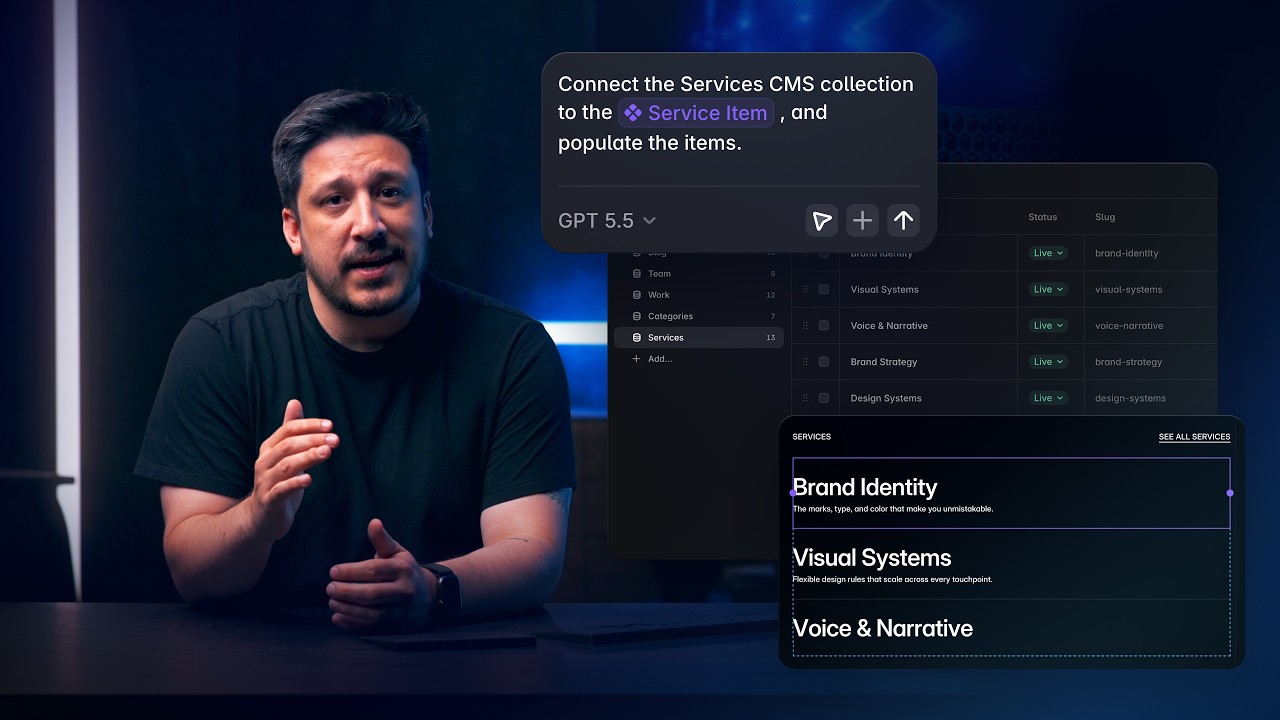
8:25Content, Components, and CMS with Framer Agents
Agents468 views · Yesterday
 1:16
1:16Framer 3.0 with Agents, Branching, and a new Community
Announcement25K views · Yesterday
 15:19
15:19Generation, layout, and styling with Framer Agents
Agents886 views · Yesterday
 0:38
0:38State of Sites '26: Discover the Unfiltered Truth
Event2K views · 2 months ago
 12:42
12:42Framer Awards 2025: Announcing the Winners
Announcement11K views · 3 months ago
 10:11
10:11Goodbye green screen: Framer’s new 'infinite' video sets
Event133K views · 5 months ago
 0:31
0:31The Framer Awards 2025 - $100K In Prizes - Submit Now
Announcement2K views · 6 months ago