Agents, AI

Connect Framer to Claude Code, Codex, Cursor, and more

Connect Framer to Claude Code, Codex, Cursor, and more

Connect Framer to Claude Code, Codex, Cursor, and more

Joseph

·

7:13

·

2K views

·

About this lesson

Build in Framer directly from your favorite external AI tools and do things like Pull data to design with directly from APIs, or use your own custom skills to design or audit your sites.

Use your own powerful workflows built around tools like Claude Code, Codex, Cursor and other LLMs. Bring the habits, skills, and setups that already work well for you.

Models are evolving incredibly fast. New capabilities are showing up almost every day. And with External Agents, you can tap into those advances as they happen.

So whether you want the native Framer experience, or you want to connect the tools already at the center of your workflow, Framer is ready for both.

00:00 Intro

00:20 Connecting your own tools to Framer

01:30 Connecting Claude Code via the CLI

02:00 Prompting the agent to build the CMS

02:40 Reviewing the new branch and collections

03:20 Checking the populated canvas

04:00 Merging a branch

04:20 Running a batch of audits

05:00 Syncing content to Notion

05:30 Building a tweet ticker with Xquik

06:20 Wrap up

Sign up: https://framer.link/yt

Follow: https://framer.link/yt-x
Learn: https://framer.link/yt-academy

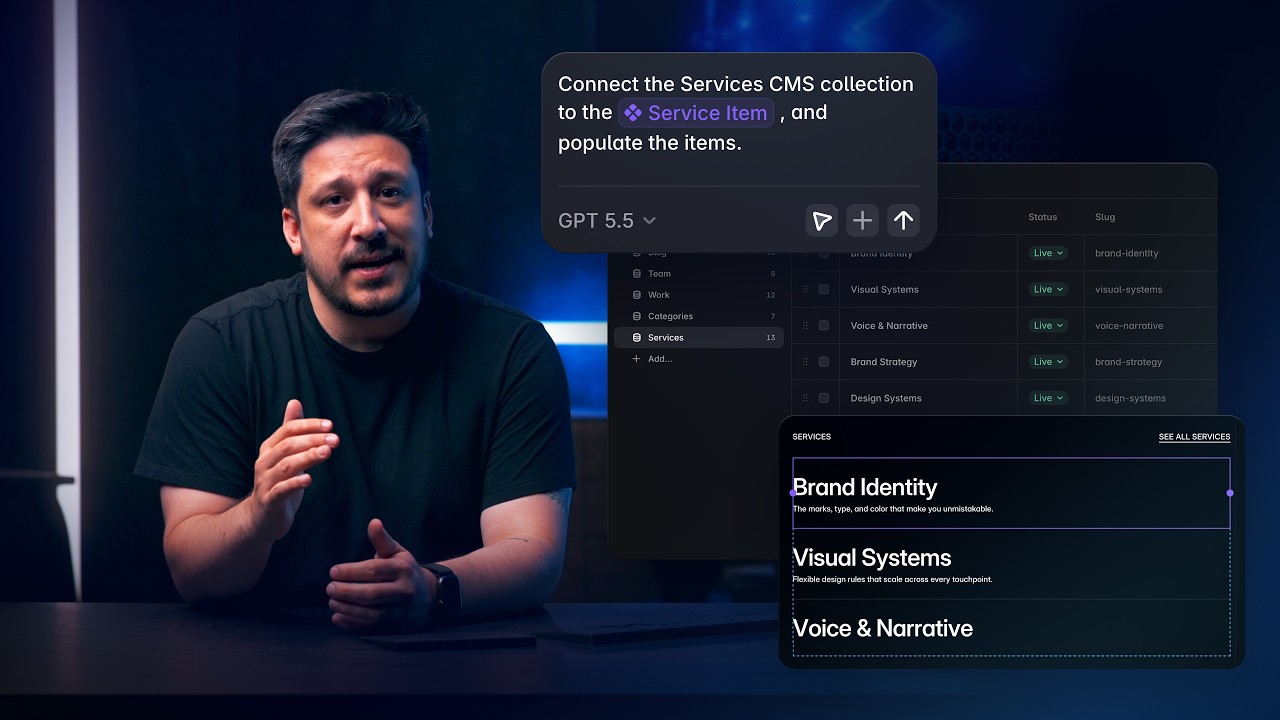
0:00You can use your own tools, like Claude0:02code via the terminal in my case, and0:04hook directly into a Framer project or0:07multiple Framer projects at the same0:09time. In fact, you could merge two0:11projects together, design using rules0:14from a design.md file, or have your LLM0:17organize a mountain of files and figure0:19out how to build an organized relational0:21CMS from it.0:23Let me actually show you that cuz it's0:24pretty insane. Let's turn back time on0:26the project we've been working on. Back0:28to a time where the CMS was completely0:31empty. Not a single collection, field,0:33item, nothing. And on the canvas, I've0:36got areas across almost every page that0:38are regular frames and components with0:41no content. There's spots for a few0:43recent case studies and blog posts on0:44the homepage, along with the rest on0:47their own pages, and even team members0:49on the about page. In fact, I've even0:52got some regular pages where I've0:54planned out how I want my CMS detail0:56pages to look once they exist. So, the0:59design is in place, but not really even1:02in a way that would technically work1:04with the CMS.1:05Bear with [snorts] me because I want you1:06to see just how messy the setup is here.1:09I also have a big folder of content on1:12my computer that has CSV files, folders1:15full of written articles in markdown1:17format, and folders full of images.1:20Different files, different formats, and1:22just about everything needs to reference1:24just about everything else. So, to get1:26started, let's head back to Framer.1:29Click invite,1:31and then copy the project link.1:33Then it's over to the terminal. I've got1:35the Framer CLI installed already, so I1:37can run Claude,1:39and then just type {forward slash}1:41Framer,1:42paste in my project link, and hit enter.1:45A browser window is prompting me to1:47authorize the connection. I'll click1:49approve and close this.1:51And Claude code is officially connected1:53to my Framer project. So, now I'm going1:55to paste in one big fat prompt with all1:57the instructions I can think of to build1:59what I want from my bird's nest of2:01files.2:02Feel free to pause if you want to read2:03the whole thing, but it essentially2:05summarizes everything we just talked2:06about. And I'll drag and drop the whole2:08folder onto the terminal to add the file2:11path.2:12And go.2:14And it looks like even with me doing my2:15best with the details, it's still got2:17some questions for me. Like how to map2:19my case study images to fields. I want2:22four image fields.2:24What to do about having more clients2:26than case studies? Import them all.2:29And how to name the blog since the files2:31say blog, but the design labels them2:33articles. It's a good catch. Let's2:34actually call them articles.2:37Cool. I'll submit these answers so it2:39can get back to work.2:40And this is a big one, so let's skip2:42ahead till it's done.2:44There we go. All done. So I can head2:45back to Framer, and on the canvas, it2:48looks a bit like nothing happened. But2:50over here on the pages panel, you can2:52see that there are pages indicating that2:54they've been edited on another branch.2:57And it looks like the agent put those2:58massive changes safely in a branch3:00called warm fjord, which I can click on3:03here to switch to, but for maximum3:05dramatic effect, I'm going to go to the3:07CMS view3:08and head up to the branches popover,3:11and then switch to the new branch.3:13Bam. There it all is. Five collections,3:16clients with all those fields,3:19team, and it imported and mapped my3:21photos.3:22Work, which was a big one, and it got3:25all those images in there correctly.3:27And look at that. It figured out the3:29reference fields to the team, services,3:31and client collections.3:33And articles also looking good.3:35Everything is in there, references and3:37all.3:38But let's check the canvas3:42and see how the actual design came and3:45articles.3:46The work page3:47is populated with every item. Let's3:49check the details page.3:51Yep. It used the exact page layout I3:53provided and mapped the content3:55perfectly.3:56Let's check another item.3:58Naturally, looks just as good.4:00About.4:02Yep, there's the team. Photos, titles,4:04and all.4:05And last but not least, our latest4:07articles.4:08List looks good and the details page4:12looks solid. Yep, nailed it. I didn't4:14ask Claude to delete these layout pages,4:16which we don't need anymore, so I'll4:18just do that manually.4:20And now I'd say this branch is ready to4:22merge, so I'll head back up4:25and click apply to main.4:27Done deal.4:28And using these external agents opens up4:30some really interesting possibilities4:32for different types of outputs from your4:34Framer projects. You could turn the4:36design patterns from your Framer project4:38into your own reusable design.md file4:41or export a content audit of your site4:44copy with suggested rewrites, optimized4:47for SEO, and rationale for making the4:49decisions.4:51In fact, let's do this.4:52Run a performance audit4:55and SEO audit4:58and an accessibility audit of the entire5:01site in parallel. In parallel, we'll5:05spin up separate sub agents for each5:06audit.5:08Output .md files for each. And like I5:12said, you could even run this on5:13multiple Framer projects at once.5:15Okay, bam, it's done. And here are the5:18files I asked for.5:20Detailed audits, formatted nicely on5:22request. And since Framer is just one of5:25the many tools you can hook into with an5:27external LLM, you can bring all sorts of5:29APIs and MCP servers into the mix.5:32Here's [snorts] a simple one. I'm5:33already logged into the Notion MCP, so I5:36can just tack onto this same5:37conversation,5:38add them to Notion,5:40and paste a link to the page.5:43And there we go. All that markdown5:44content is tidy and shareable with the5:47rest of the team.5:48You could also go the other direction5:50and have your LLM crawl through a bunch5:52of Notion pages, parse out what's5:54needed, and import it into the CMS, kind5:57of like what I did with that folder of5:58local files, or grab content from a6:01FigJam board, or styles and tokens from6:04a Figma file using the Figma MCP.6:07But let's do a fun one, something a6:08little different. I'm going to use X6:09quick to find some tweets and turn them6:12into a ticker of cards. I'm going to6:14paste in another relatively long prompt6:16I wrote. Again, you can pause and read6:18the whole thing if you like.6:20And while that's doing its thing, we can6:21watch the results over on the canvas in6:24Framer.6:25And here come the tweets.6:27And it looks like this is actually a6:29collection list, which means it decided6:31to make this CMS powered, which is6:33really cool because I didn't even think6:35to do that. And they all share this one6:37card component, which was designed quite6:40nicely with variables and all, and those6:42variables were of course bound to the6:44CMS. Nice and tidy, but I did ask for a6:47ticker, so I'm going to press command P6:49and jump into preview mode6:51and scroll down here,6:54and there it is, an animated ticker of6:56tweets powered by the CMS, populated6:59with real data in a single prompt.

Watch on YouTube ↗

More in this topic

Content, Components, and CMS with Framer Agents8:25
Content, Components, and CMS with Framer Agents
Agents468 views · Yesterday
Framer 3.0 with Agents, Branching, and a new Community1:16
Framer 3.0 with Agents, Branching, and a new Community
Announcement25K views · Yesterday
Generation, layout, and styling with Framer Agents15:19
Generation, layout, and styling with Framer Agents
Agents886 views · Yesterday
Framer Event — Introducing Agents, Branching, and a new Community40:01
Framer Event — Introducing Agents, Branching, and a new Community
Event17K views · Yesterday
Framer Update: Auto Translate3:09
Framer Update: Auto Translate
Framer Update4K views · 2 months ago
Framer Update: Auto Rename0:53
Framer Update: Auto Rename
Framer Update5K views · 7 months ago
Wireframer: Blogs and Changelogs with CMS3:40
Wireframer: Blogs and Changelogs with CMS
Framer Update5K views · 8 months ago
Framer Update: Wireframer Icons and Insert Sections2:24
Framer Update: Wireframer Icons and Insert Sections
Framer Update7K views · 11 months ago

Create a free website with Framer, the website builder loved by startups, designers and agencies.