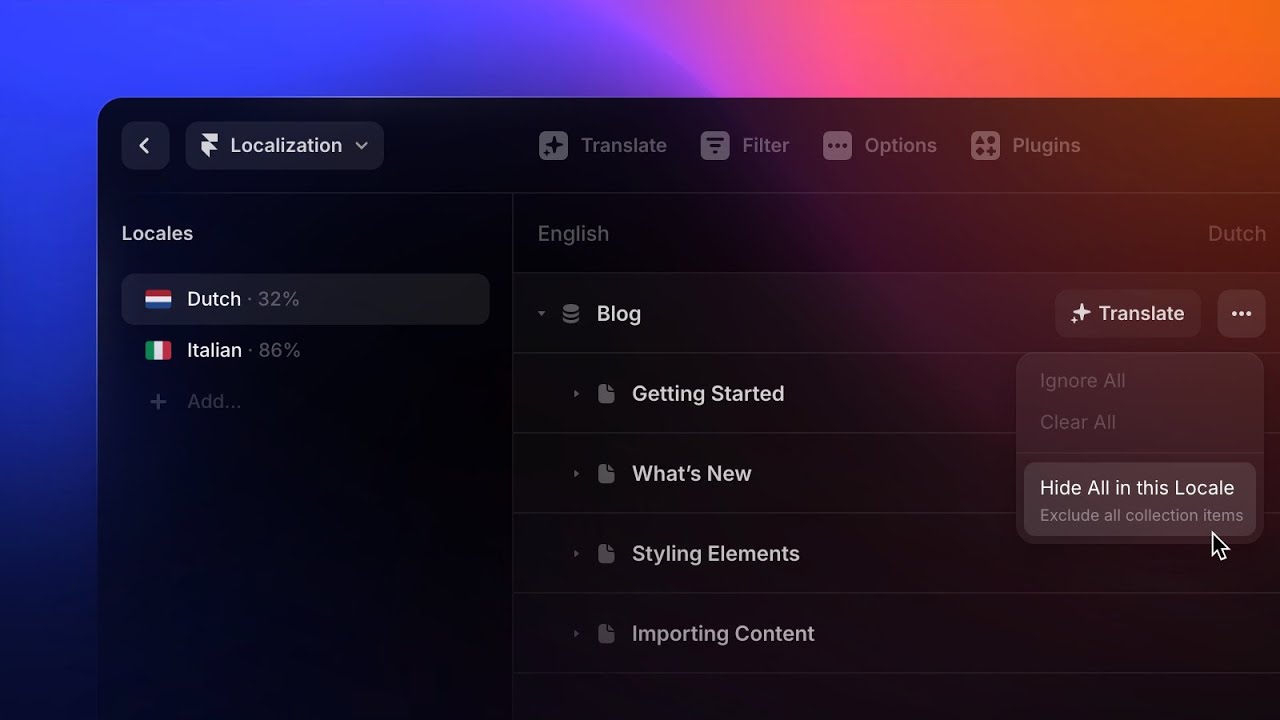
Localization

Adding a Locale in Framer

Adding a Locale in Framer

Adding a Locale in Framer

Justin

·

5:19

·

2K views

·

About this lesson

In this video, we cover setting up locales, using manual and AI translation, customizing translation tone with AI settings, and batch translating content for multiple audiences.

00:00 Introduction

00:30 Opening the Localization view

00:45 Adding a new Locale

02:19 Translating content

02:36 AI Translation

03:45 Open in Overlay

04:16 Batch Translate

04:34 Previewing the Locale

04:58 Wrap-Up

Sign up: https://framer.link/yt

Follow: https://framer.link/yt-x

Learn: https://framer.link/yt-academy

0:00There comes a time in every young0:01[music] website's life when it's ready0:03to branch out and explore the world. And0:06what [music] I'm actually talking about0:08is adding multiple languages to your0:10site. And Framer makes that easy by0:13allowing us to [music] add locales.0:15This is especially useful when we're0:17ready to expand our site for different0:19markets. So, in this video, we're going0:21to cover how to add locales and0:23translate the content on our site into0:25different languages.0:31To get started, we'll head up to the top0:33right corner of Framer and click the0:35globe icon. This opens the localization0:38section, which is where we can manage0:40multiple locales and handle all of the0:42translations in our project.0:45Now, we'll just click add locale to0:48create our first one. And from here, we0:51will first need to choose the default0:52language of our site if we haven't0:54already selected one in our site0:57settings.0:58Next, we can choose a language we want1:00to translate our content into. So, for1:02this, I'll choose Spanish. And if1:04needed, we can even choose a specific1:07region.1:08This is helpful when we want a more1:10tailored version of that language for a1:12certain audience.1:14Now, if we're going to have more than1:16one locale, we can give each one a1:18custom name, slug, or even change the1:20fallback language. So, if a translation1:23hasn't been added yet, Framer will1:25automatically fall back to another1:27language instead of leaving that content1:30blank. And Framer will automatically1:32point that to our default language1:35unless we specify otherwise.1:37Finally, we have our AI settings, where1:40we can add an AI style prompt to help1:42shape how the translated content sounds1:45if we decide to use Framer's automatic1:47translation, which we'll go over in just1:50a sec.1:51Once we're done, we'll click add, and1:54Framer will automatically pull all of1:56our site's content like body copy, page1:58titles, descriptions, and image alt text2:01into the localization table here. So, we2:03can manage translations all in one2:06place.2:07To make things even easier, everything2:09in the table is grouped by site2:11settings, pages, CMS collections, and2:14even components, which is really helpful2:17as our site scales.2:20With that said, let's start translating2:21the content. And there are two main ways2:24we can do that. The first is by manually2:27adding the translations ourselves by2:29clicking into the content we want to2:30change and typing it in.2:32This gives us the most control if we2:34want to fine-tune the wording. The2:37second option is using AI translation,2:39which can help translate part of the2:41site or even the entire table2:44automatically. And if you're like me and2:46don't speak multiple languages or just2:49don't want to rely on another tool like2:50Google Translate for every single piece2:53of content, this can be a really helpful2:56option.2:57First, let's head back into the AI2:59translation settings by going to our3:01locale in the list, clicking the3:03ellipsis, and choosing settings.3:06Here, we can switch to a different AI3:08model, add a prompt to guide the style3:11or tone of the translation, and enable3:15auto translate so any new or updated3:18content is translated automatically.3:21After clicking update, Framer will ask3:24if we want to translate all existing3:26content. But, let's skip that for now.3:30To translate a single piece of content3:32with AI, we'll hover over the content we3:34want to translate, click the star icon,3:37and Framer will translate it into the3:39language we've selected. Next to our3:42star icon, we have an ellipsis menu that3:45allows us to mark this specific content3:47for review,3:48which is helpful if we want ourselves or3:51someone else on the team to double-check3:53the translation later.3:55And if we're working with longer3:56content, we will also find the open in3:59overlay option here to view the4:01translation in its entirety.4:04As we translate our site, Framer will4:07also show us how much of the locale has4:09been translated by giving us the4:11percentage completed next to each locale4:14in our list. And if we want to translate4:17an entire locale or even multiple4:19locales at once, we can head up to the4:21top left corner and click translate.4:24This opens a prompt where we can batch4:26translate every locale in the project or4:29even use the drop-down to choose4:31specific locales instead.4:34Once ready, we can jump back to the4:36canvas to check out the site with our4:38new locale.4:40By selecting the locale in the bottom4:41navbar, we can switch between languages4:44to see how everything looks in context.4:48And if we need to make any quick updates4:49or translate any new content, we can do4:52[clears throat] that easily from the4:53canvas by selecting the content,4:55right-clicking, and choosing translate.4:58And that's it.5:00With our new locale in place, our site5:02is now ready for a new audience without5:04us having to manage a completely5:06separate version. So, go ahead and add5:09some locales to [music] your site, and5:11I'll see you in the next video.
TeachesLocales

Watch on YouTube ↗

More in this topic

Framer Update: Auto Translate3:09
Framer Update: Auto Translate
Framer Update4K views · 2 months ago
Framer Update: Localized Page Paths2:31
Framer Update: Localized Page Paths
Framer Update3K views · 6 months ago
Localization Glossary2:44
Localization Glossary
Localization2K views · 1 year ago
Localization Update: Collection Groups1:31
Localization Update: Collection Groups
Framer Update2K views · 1 year ago
Framer Update: Drafts1:45
Framer Update: Drafts
CMS9K views · 1 year ago
Framer Update: Localization 2.06:32
Framer Update: Localization 2.0
Localization10K views · 2 years ago
Localization: AI Style3:40
Localization: AI Style
Localization5K views · 2 years ago
AI-Powered Localization — Translate and Customize your Entire Site in Framer0:34
AI-Powered Localization — Translate and Customize your Entire Site in Framer
AI4K views · 2 years ago

Create a free website with Framer, the website builder loved by startups, designers and agencies.