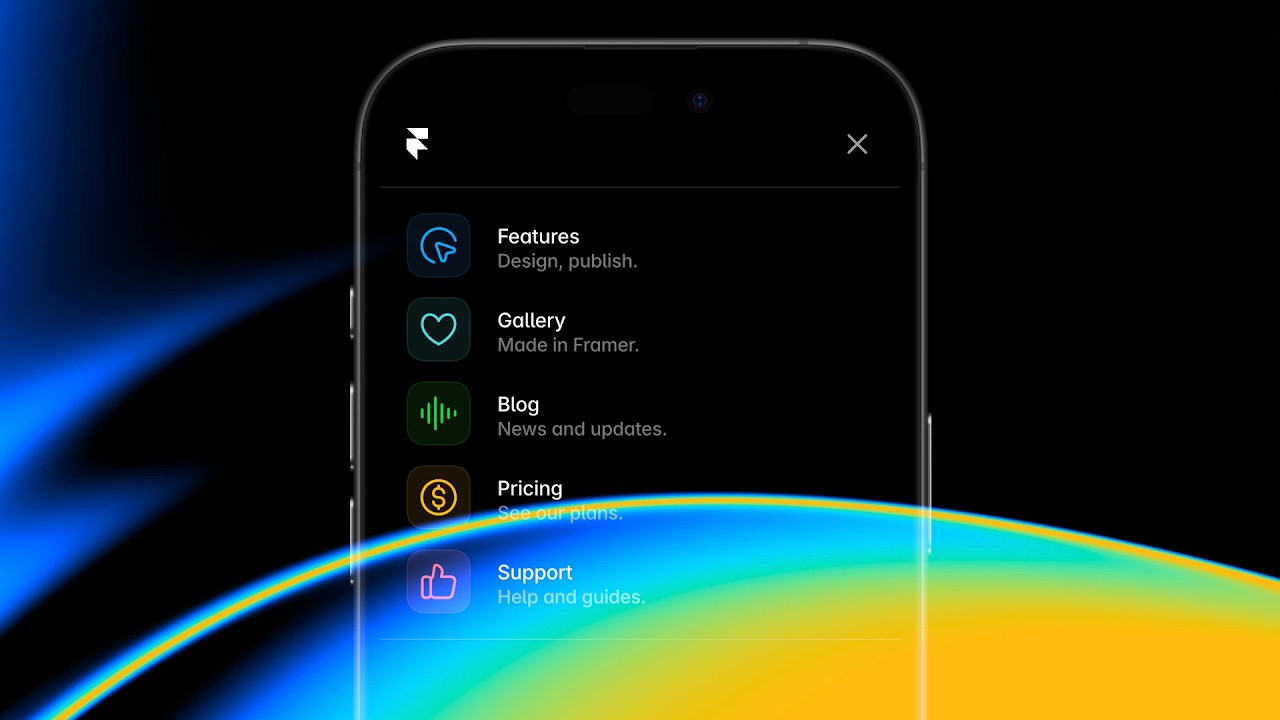
Framer Update, Navigation

Framer Update: Layout Templates

Framer Update: Layout Templates

Framer Update: Layout Templates

Benjamin

·

8:51

·

100K views

·

About this lesson

Introducing Layout Templates, a brand new way to design reusable navigations and page layouts for sites at scale. Designed for navigations, footers, banners, and overlays that you wish to apply to all pages, without having to edit per page. Consistent navigations, padding, gap, and site-wide styles like custom cursors, all in a single click. Plus, Layout Templates unlock all-new navigation patterns of an exceptional fidelity, like menus with shared layout animations, exit animations, continuous animations, and more. We think you’ll love it. http://framer.com/updates/layout-templates/

🌞 Start for free: https://framer.link/yt

📚 Learn more at: https://framer.link/yt-academy

💎 Join the Community: https://framer.link/yt-community

🎉 Follow on X: https://framer.link/yt-x

0:18yo my name is Benjamin and this is0:22layout templates a brand new way to0:24design things like reusable navigations0:27Footers banners and more across hundreds0:30of pages plus this feature unlocks0:33entirely new types of navigation0:35patterns so let's have a look here I0:39have a navigation component and I want0:41to start adding this to my site so I'll0:44start with the0:45homepage I'll set the position to fixed0:49and I'll make sure that all the layout0:50settings here are0:52correct then I can give this a preview0:56and in the preview I see that my0:57navigation is indeed properly fixed to1:00the top so I'm happy and I now want to1:03add this navigation to all of my pages1:06this usually means copy and pasting it1:09across all of my pages but this doesn't1:12really scill especially if you have1:14hundreds of them and anytime I want to1:16change the positioning or sizing of my1:19components I need to redo that across1:21all pages this is where layout templates1:24come in instead of copy and pasting I'll1:27rightclick and I'll create a new lay1:29layout template here we can give it a1:32name this model also tells us to how1:34many pages our layout template will be1:37applied because we're creating it from1:39the homepage and because we don't have1:42any existing layout templates in this1:44project just yet it will be applied to1:47all pages this is the new layout1:50template canvas it looks and behaves1:53much like a real page these layout1:55templates also appear in the assets1:58panel and this is another way to create2:01new templates from scratch or folders to2:03organize your templates in the middle2:06here you'll see a placeholder that2:08represents your actual page content and2:11we can move this around and Design2:13Elements like navigations Footers and2:16Banners around it think of it like a2:19boiler plate for your entire website so2:23now if I go back to look at a couple of2:25my sub pages I can see that all of these2:28suddenly have my navigation with the2:31exact same layout settings so in one2:35click I made sure that my entire website2:38has a consistent navigation and if I go2:41ahead and select the desktop breakpoint2:44you'll also see that the property panel2:46has been greatly simplified this is2:48because now the layout properties are2:51actually inherited from the layout2:54template this means that layout2:56templates are also a great way to ensure2:58your website has consistent Gap padding3:01and other styles like consistent cursors3:04for example now these layout templates3:07are also very easy to edit let's say we3:10want to add a footer to all of our pages3:13in an instant I'll head over to my3:15assets panel and I can simply drag and3:18drop my footer directly onto the3:21template I already had padding bottom3:23set to zero so the only thing I want to3:26do is set the width to fill now let's3:29check check out some of the sub pages3:32and now when I scroll to the bottom of3:34my homepage I can see it properly gets3:36the footer abended to the existing3:39design and all the links here are3:41working I can switch to different sub3:43pages to check out that they indeed also3:46get the new footer so this is the magic3:50of layout templates it makes it much3:52easier to manage and create sites at a3:56much larger scale making sure that you3:58do not have to repeat yourself and4:00giving you the confidence that your4:03navigations will be consistent and4:05functional across all of your pages but4:09as I mentioned earlier layout templates4:11also unlock all new types of navigations4:15let me show you in this navigation I4:17added a little links component with a4:20bunch of simple variants and a backdrop4:23that follows the active item layout4:26templates are quite similar to4:27components in that they support very4:29variables and we can use variables to4:32access these inner variants so in the4:35layout template I'll assign a variable4:37to this active property giving me access4:40to the active state from any given page4:44now it's key to note that what I'm doing4:46is optional I could have also used link4:49styles to highlight the current page in4:51the single click but doing this which is4:54essentially just using variants and4:57assigning those per page allows me to4:59animate active States between different5:02pages this for the first time ever5:05unlocks all new types of navigations and5:08interactions in framer because elements5:11within my layout templates do not5:13remount when you switch pages in other5:16words they're kind of just there as you5:18switch Pages they don't have to reload5:22suddenly unlocking things like these5:24active State animations between Pages5:27plus things like fixed elements5:30continuous animations exit animations5:33and more but before we look at those5:35let's have a look at managing multiple5:37templates within a single5:40project let's say we want to add some5:43docks to our website these docks need a5:46sidebar so our existing layout template5:49doesn't really cut it so I've set up a5:51second layout template called docks and5:54it has a top bar a sideb and a footer5:59and then all the content is positioned6:01on the right hand side to now overwrite6:04our existing layout template I can6:06simply head over to the property panel6:08and selected from the layout dropdown6:12and as I switch between these you can6:13see how my page layout and the content6:16adapts and as we hover over our page6:20outlines indicate which elements are6:23part of the layout template and which6:25elements we can freely edit here and we6:28can also double click on any of these6:31elements that are part of the template6:34to instantly start editing so you can6:37create multiple layout templates per6:39project and pick specific pages and6:41subpages to overwrite the main one so6:45now let's give this one a preview6:47elements like sidebars within layout6:50templates become inherently stateful6:52because they do not have to reload or6:55remount across Pages any section here6:58that I expand or collapse will stay as7:00is when we switch pages instead of7:02resetting to its original variant this7:05is a huge unlock for documentation7:08websites where as a visitor you can7:10influence and control the information7:13density as you browse the content now in7:16closing I want to briefly mention a few7:19of the new navigational patterns this7:21feature unlocks first sites that feel7:25like apps by combining layout animations7:29with fixed elements and Page effects you7:32can craft uniquely interactive websites7:36second navigations with exit animations7:40when switching pages instead of your7:42navigation instantly jumping back to its7:45default State you can have it gently7:48animate back to its original design7:51something you rarely see today as it's7:53impossible to achieve in any other tool7:56third continuous animations7:59elements part of a layout template can8:03be infinitely animating without any8:06jumps as you navigate around your site8:09and fourth stateful elements like we8:12looked at earlier in the video8:14components like sidebars that you can8:16expand and collapse can now do so freely8:20without switching back to its original8:22variant when you switch Pages extremely8:25useful for things like documentation8:27websites and that's it for this video8:30we're very excited about layout8:32templates and what it means for8:34Designing sites at skill directly in8:37framer thanks for watching and see you8:39in the next one8:42[Music]

Watch on YouTube ↗

More in this topic

Framer Update: Logo Shaders2:05
Framer Update: Logo Shaders
Framer Update12K views · 1 month ago
Framer Update: CMS 3.04:13
Framer Update: CMS 3.0
Framer Update14K views · 1 month ago
Framer Update: Holo Shader1:46
Framer Update: Holo Shader
Framer Update6K views · 2 months ago
Framer Update: Auto Translate3:09
Framer Update: Auto Translate
Framer Update4K views · 2 months ago
Framer Update: Stack Sorting and Bento Grids2:16
Framer Update: Stack Sorting and Bento Grids
Framer Update7K views · 2 months ago
Shader: Chromatic Aberration1:56
Shader: Chromatic Aberration
Framer Update7K views · 2 months ago
Framer Convert5:42
Framer Convert
Framer Update13K views · 3 months ago
Framer Update: Flow Effect in Layout Templates2:12
Framer Update: Flow Effect in Layout Templates
Framer Update10K views · 3 months ago

Create a free website with Framer, the website builder loved by startups, designers and agencies.