Localization

Framer Update: Localization with AI

Framer Update: Localization with AI

Framer Update: Localization with AI

Hunter

·

8:08

·

30K views

·

About this lesson

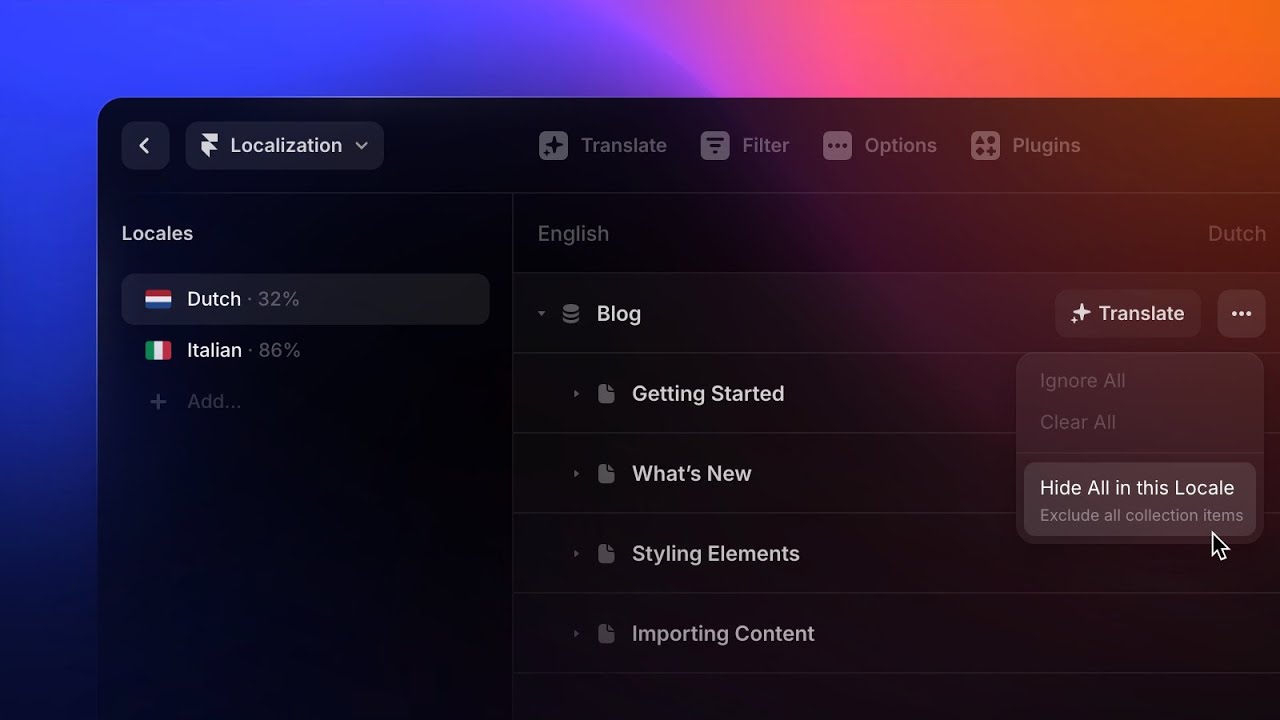
0:00hail it's hunter in this video I'm very0:03excited to show you website localization0:06in framer and website localization is0:10about more than just adding more0:12languages it's about creating a site0:14that adapts and feels local to the0:17people that are viewing it0:19and that is what we focused on enabling0:21with the features in this video0:23and we've optimized it to work on0:25anything from the smallest sites to the0:27biggest sites that run on framer0:29and to show how it works on big sites0:31we'll be localizing a page on framer.com0:34we're going to translate the meetups0:36page because it's a great example of a0:38page that benefits from localization so0:40wherever someone might be they can have0:42a great experience finding and hosting a0:44local Meetup0:46if we hop right in you'll notice there's0:48a new globe icon in the toolbar0:51this is where you'll find the0:53localization View0:55once we're in here we'll see a prompt to0:57add a new Locale so we'll go ahead and1:00do that1:02we'll start by adding Dutch because1:04we're based here in Amsterdam1:06you'll see we're able to select either1:07just Dutch itself or select a more1:10specific region for the language1:13we're also able to select a fallback1:15this means whenever something hasn't1:17been translated whether a specific piece1:19of text or an entire page it'll just1:22show this fallback language instead1:25we're also going to add Chinese just to1:27use something that doesn't have Latin1:28characters1:32once you have added a Locale you can see1:35that every single piece of text and1:37every image in your project is now in1:40this table we could go through this1:42table and translate our entire site from1:44right here1:45but in our case we're going to the1:46filter action in the toolbar so we just1:49see the items for the meetups page1:53and then we can just go ahead and start1:55translating1:56I'm still learning Dutch so I'm going to1:58go with the easy one here framer meetups2:00can probably be translated to just2:01framer meetups and if we hit enter we'll2:05see this item is now marked as done2:08and we can go ahead and start2:09translating our entire page2:12we even support image translations if we2:14wanted to say show a Meetup photo from2:17another country2:18and we can also translate the alt text2:21for formatted text Fields CMS content or2:25even just text with links in it will get2:27a bit more space to work in the2:28localization overlay but let's say I2:30just want to get the translation started2:32and then have one of my Dutch colleagues2:34take a look at it and tweak it after2:36that's where AI translations comes in2:39if we hit the translate button the AI2:41starts translating right away and we've2:43optimized it to carry over things like2:45links videos images and keep them in2:48line just where you'd expect them2:50we can take this a step further to have2:52the AI translate the entire page2:54this is perfect for when we want to2:56start playing with the content and2:57focusing on the other aspects of2:59localizations before we publish up the3:01translations themselves3:03we'll give the AI a second to translate3:05everything and there we go and we'll3:07head back to the canvas3:09but we want to get a sense of what our3:11page actually looks like in Dutch this3:14is where the canvas view comes in handy3:16if you look down in the canvas toolbar3:18we'll see there's new icon that allows3:20us to select look out if we select Dutch3:23we are now viewing the dust translation3:25right on our canvas3:28here we're able to edit all the3:29translations in context so for instance3:32this heading breaks onto four lines but3:34I'd like to adjust it to two if we can3:36I've quickly consulted with the Dutch3:38colleague and they gave me some tips on3:40how to get this onto two lines3:43and that's looking much better so these3:46are the kind of things that are really3:47nice to have the canvas view for3:49we can also pan around and check out the3:51rest of our page we'll see dates are3:53automatically localized3:55and everything else is looking pretty3:57good3:58now that we have the foundation for our4:00Dutch translation we can go ahead and4:02publish this site and all the HTML4:04things you'd expect for a localized4:06website are going to be handled for you4:07things like href Lang is already set up4:10for each Locale that you add4:12this means that people coming from4:14search engines will get the right4:15version of the site4:17but if you want to let people choose4:18their language we can go to the insert4:20menu and insert a Locale picker4:23the Locale picker component will always4:25stay in sync with the locales in your4:26project so all you need to do is set up4:28the styling4:31I'll do that now and pop it in our nav4:34I'm going to remove the background color4:35add a little icon remove the text4:39and I think we should be good4:44not publisher site to get a feel for the4:47beginnings of our localized page4:50this release brings with it an enhanced4:52version of our optimization process that4:54takes the pages for each Locale and runs4:57them in parallel to keep that fast4:59optimization speed no matter how many5:01Lookouts you have in your project5:04if we go to the Locale picker we can go5:06to the Dutch version of our page5:08and it's looking great5:11and a key part of the architecture of5:13this feature was ensuring that the5:15localized versions of your website are5:17just as fast as the base language5:19that was the core workflow of localizing5:21your site and framer5:23so now let's finish up those5:24translations and then we'll end the5:25video with something really cool5:27I'm going to ask some colleagues to help5:29translate this page5:30and there's a specific translation here5:33that I want to get looked at so I'm5:34going to mark it as needs review5:37this flag also happens automatically5:38when something that's already been5:40translated changes in the base language5:42and another workflow tip if we want to5:45only see things that are a specific5:46status like to review5:48you can do that with the drop down in5:50the top right5:51all right I'm back with some fresh5:52translations from my colleagues and5:54let's finish up this site our Dutch5:57translation is looking great5:59our Chinese translations looking great6:01but it's missing that last little bit6:03what if we want to customize and adapt6:05more than just the content of our6:08website that's where this last feature6:10comes in to allow you to push Locale6:12customization to limits we've added a6:15variable with the current Locale that is6:17accessible anywhere in your project this6:20means you can add logic to nearly6:22anything in your framework Project based6:24on what the active Locale is if this6:26sounds complex to you don't worry I'll6:28show a quick example to illustrate and I6:31will add a link to another video we have6:33specifically on this topic6:35I've converted this hero section to a6:37component with three variants each with6:39a different accent color in a different6:41city highlighted on the globe component6:45if we select it we can go to variant6:47click on the little plus here and go set6:49variable6:50locale6:52convert option6:54this enables us to set up some logic6:57that says when the current Locale is7:00English set the variant to New York when7:04the current Locale is Dutch7:07set the variant to Amsterdam7:12and when the current Locale is Chinese7:14set the variant to Shenzhen7:18and a fallback to say when it doesn't7:20match any of these languages just use7:22this variant7:24and now we can change the Locale on the7:25canvas to see this in action7:30yes that is perfect7:34now we can publish our site and check7:35out our localized Meetup page7:41looks great7:42with the Locale variable and framer you7:44can make your websites truly localized7:46for whoever may visit your site7:49that's been localizations and framer7:51thank you for watching and I will see7:53you in the next one

Watch on YouTube ↗

More in this topic

Adding a Locale in Framer5:19
Adding a Locale in Framer
Localization2K views · 2 months ago
Framer Update: Auto Translate3:09
Framer Update: Auto Translate
Framer Update4K views · 2 months ago
Framer Update: Localized Page Paths2:31
Framer Update: Localized Page Paths
Framer Update3K views · 6 months ago
Localization Glossary2:44
Localization Glossary
Localization2K views · 1 year ago
Localization Update: Collection Groups1:31
Localization Update: Collection Groups
Framer Update2K views · 1 year ago
Framer Update: Drafts1:45
Framer Update: Drafts
CMS9K views · 1 year ago
Framer Update: Localization 2.06:32
Framer Update: Localization 2.0
Localization10K views · 2 years ago
Localization: AI Style3:40
Localization: AI Style
Localization5K views · 2 years ago

Create a free website with Framer, the website builder loved by startups, designers and agencies.